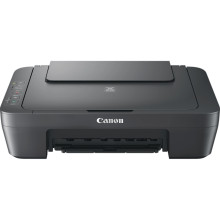
Latest official drivers for the Canon MG2541S Printer series. This driver package supports both 32-bit and 64-bit PCs, and it works with various Windows operating systems: Windows 11 (32-bit/64-bit), Windows 10 (32-bit/64-bit), Windows 8.1 (32-bit/64-bit), Windows 8 (32-bit/64-bit), Windows 7 (32-bit/64-bit).
How Do I Download and Install the Canon PIXMA MG2541S Driver?
Installing the correct driver ensures your Canon PIXMA MG2541S can print and scan reliably on Windows.
Step 1: Download the Driver
Download the correct driver for your version of Windows (Windows 11, 10, 8.1, 8, or 7).
Step 2: Disconnect the Printer
If the printer is connected with a USB cable, unplug it before starting the installation unless instructed otherwise.
Step 3: Run the Installer
Locate the downloaded file, right-click it, and select Run as administrator. If prompted by User Account Control, click Yes.
Step 4: Follow the Setup Wizard
Accept the license agreement and follow the on-screen instructions. The installer will copy the required files and prepare the printer software.
Step 5: Connect the Printer
When prompted, connect the printer to your computer using a USB cable and turn it on. Windows should automatically detect the device.
Step 6: Complete the Installation
Wait for the installation to finish, then click Finish. Restart your computer if requested.
Step 7: Print a Test Page
Open Settings > Bluetooth & devices > Printers & scanners, select Canon PIXMA MG2541S, then choose Printer properties and click Print Test Page. If the page prints successfully, the driver has been installed correctly.
Troubleshooting Tips
- Verify the USB cable is securely connected.
- Try a different USB port if the printer is not detected.
- Remove any old Canon printer drivers before reinstalling.
- Restart both the printer and computer if Windows does not recognize the device.
- Install the latest driver if you experience printing or scanning issues after a Windows update.
MG2500 series Full Driver & Software Package
File: win-mg2500-1_1-mcd.exe
b1af9c7ab98ad05424e7c6117e5c82a524b0ccb55e2a0956a137a6eec291659f
Canon MG2500 series MP Drivers
File: mp68-win-mg2500-1_02-ea32_2.exe
901b4e36e07a58ee4c61e2e36c308ff3a058817038a5a59dd667921ac21eaf79
Standard Ink Cartridges
- PG-445 (Black)
CL-446 (Color) Optional XL Ink Cartridges
PG-445XL (Black)
CL-446XL (Color)



