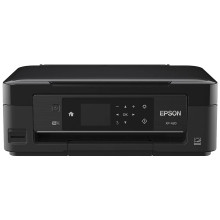
Device
Manufacturer
Model No.
C11CD86202
Interface/port(s)
Drivers for the Epson XP-424 printer can be download below for Windows 11 to Windows XP. To install the drivers simply download the package you need below and run it as an administrator to begin the installation. Follow the prompts until asked to insert printer into the USB port.
Epson Printer Driver
File: XP420_XP424_X64_22101_NA.exe
SHA-256:
8ea0307d8d4b01d5af06df11b33bf3fe5aba25bc15389ef27c83d7394246c5fd
Epson Printer Driver
File: XP420_XP424_X86_22101_NA.exe
SHA-256:
7cc46f7eb00aa353801acf5853750dae7911a34e9fce0d89a41b8344ff4e3af8
Epson Scanner Driver and EPSON Scan Utility
File: epson17520.exe
SHA-256:
96ba82d12a4e328693a82ab2ced0829e3468c49026f50874558462c0c3ec5081
Ink replacement:
- 220 Standard-capacity Black, Cyan, Magenta, Yellow
(Yield, ISO pages — Black: 175, Color: 165) - 220XL High-capacity Black, Cyan, Magenta, Yellow
(Yield, ISO pages — Black: 500 Color: 450)



