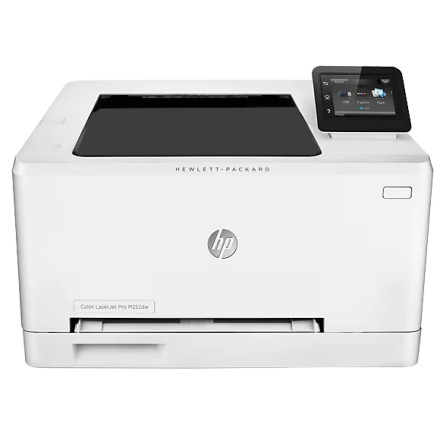
The HP Color LaserJet Pro M252dw is a color laser printer with wireless and Ethernet networking, USB connectivity, and automatic two-sided printing. The full software and driver package, HP_LaserJet_M252_Full_Software_and_Drivers_15311.exe, provides the printer drivers and additional HP software needed to install and manage the printer.
Although HP does not explicitly list Windows 11 compatibility for this older package, it will most likely work on Windows 11 because of its compatibility with Windows 10. However, Windows 11 compatibility is not officially confirmed for this installer.
Driver Installation
- Download
HP_LaserJet_M252_Full_Software_and_Drivers_15311.exe. - Double-click the downloaded file to extract the installation files and start the HP installer.
- Follow the on-screen instructions to install the printer software.
- Connect the M252dw using USB, Ethernet, or Wi-Fi when prompted.
- Once installation is complete, print a test page to verify that the printer is working correctly.
Windows 11 compatibility: If the installer does not run correctly on Windows 11, try running it in Windows 10 compatibility mode. Alternatively, Windows Update may provide a compatible printer driver.
HP Color LaserJet Pro M252 Printer series Full Software and PCL 6 Driver
File: HP_LaserJet_M252_Full_Software_and_Drivers_15311.exe
3c40adf2cf6048f204768226d5288d7cebda8ff0831a717e5dfd446872d91317
Toner Used:
HP 201A Black Original LaserJet Cartridge (~1500 yield) CF400A
HP 201A Cyan Original LaserJet Cartridge (~1400 yield) CF401A
HP 201A Yellow Original LaserJet Cartridge (~1400 yield) CF402A
HP 201A Magenta Original LaserJet Cartridge (~1400 yield) CF403A
HP 201X Black Original LaserJet Cartridge (~2800 yield) CF400X
HP 201X Cyan Original LaserJet Cartridge (~2300 yield) CF401X
HP 201X Yellow Original LaserJet Cartridge (~2300 yield) CF402X
HP 201X Magenta Original LaserJet Cartridge (~2300 yield) CF403X