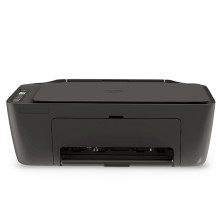
Device
Series
Manufacturer
Model No.
DeskJet 2920
89F97B#629
Interface/port(s)
Operating System(s)
The HP DeskJet 2920 printer uses HP Easy Start to install the printer software and configure the device in Windows 11 and Windows 10. The installation package is HPEasyStart-16.8.12-DJ2900_63_1_42_3_Webpack.exe. It helps install the appropriate printer driver and set up the printer for printing over a supported USB or wireless connection.
Installation steps
- Download
HPEasyStart-16.8.12-DJ2900_63_1_42_3_Webpack.exe. - Double-click the downloaded file to launch HP Easy Start.
- Follow the on-screen instructions to install the driver and connect the printer via USB or Wi-Fi.
- Print a test page to confirm the HP DeskJet 2920 is working correctly.
HP DeskJet 2900/Ultra 5100 Series Driver (Easy Start)
File: HPEasyStart-16.8.12-DJ2900_63_1_42_3_Webpack.exe
SHA-256:
1bc30e7e1c545d9ac964bddb5c1c696303163e18b92d9a54de3fc09bdb7d47c5



