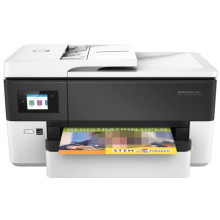
Drivers for the HP OfficeJet Pro 7720 are available for nearly all modern versions of Windows, dating back to the early 2000s. Installing these drivers is straightforward—simply run the setup packages as an administrator, and follow the on-screen instructions to complete the installation process. This ensures that your HP OfficeJet Pro 7720 printer is fully compatible with your Windows operating system, providing optimal performance and access to all features. Whether you're using a newer version of Windows or an older one, these drivers will help you set up and maintain your printer with ease.
HP OfficeJet Pro 7720 Wide Format All-in-One Printer series Basic Drivers
File: Basic_Webpack_x64-44.11.2778-OJ7720_Basicx64_Webpack.exe
547f99a1ed58db1080f4289bc5e8e1198dc872c7df427f89228a4f43667606a4
HP OfficeJet Pro 7720 Wide Format All-in-One Printer series Basic Drivers
File: Basic_Webpack_x86-44.11.2778-OJ7720_Basicx86_Webpack.exe
f13400eaec149aa14daba07df748b69571d67ede5d69ec658d7fc8249537d5a0



