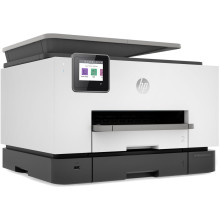
The HP OfficeJet Pro 9023 All-in-One Printer is a versatile and efficient office device designed to streamline productivity. It combines printing, scanning, copying, and faxing functions, catering to the demands of busy work environments. With a robust duty cycle, it can handle heavy workloads, producing high-quality documents with a maximum print resolution of 1200 x 1200 dpi. The 9023 supports wireless connectivity, cloud printing, and mobile app integration for seamless access and management of documents. Its automatic document feeder, duplex printing, and secure printing options enhance workflow efficiency. This all-in-one printer is a reliable choice for businesses seeking professional print quality and advanced features.
HP OfficeJet Pro 9020 EasyStart Printer Setup Software
File: HPEasyStart-13.4.8-OJP9020_49_10_4647_1_Webpack.exe
d8cd4a612f6c5cb64d18d6d0ab7741d3f5c4df3929f201fee4a65bccc15399ac
HP Universal Fax Driver
File: HPUFD_Driver_5_0_82.exe
72f03aacb9391b6034f0476fbc6faaac7a52109fd871b19d420cd05040d2909a
HP OfficeJet Pro 9020 All-in-One Printer Driver
File: Basic_Webpack_x64-49.10.4647-OJP9020_Basicx64_Webpack.exe
721ec992a7df601a32d398a17453ae2f600123e871d3405614b8c839e92f19b9
(older version) HP OfficeJet Pro 9020 EasyStart Printer Setup Software
File: HPEasyStart-12.1.03-OJP9020_49_8_4576_1_Full_Webpack.exe
e12c639bb694da94437d29a7f9a093ace521b0466bcdd24fd23bc8bedd660608
(older version) HP Universal Fax Driver
File: HPUFD_Driver_2_0_209.exe
ca2dfbb0a33b5b6f256a408034112dbaa7b5c81d374fb8d5726898bf3164404c
(older version) HP OfficeJet Pro 9020 Printer
File: OJP9020_Basicx64_49.9.4593.exe
0b58a9fd427b0bf2626db183fae85a85627724e2afeb00f2594ec802c960c5b6
(older version) HP OfficeJet Pro 9020 Printer
File: OJP9020_Basicx86_49.9.4593.exe
34c59b0b5d5e6c99d6222c17ea4d0ac8903cb3b3062fa26fee66671ea398eaaa
HP OfficeJet Pro 9020 series User Guide
File: c06220010.pdf
What ink cartridges does the HP OfficeJet Pro 9023 use?
Configuration: 4 x Individual Cartridge
Ink Type: Pigment-Based (Cyan, Magenta, Yellow)
Ink Color: 1 x Cyan
- 1 x Magenta
- 1 x Yellow
- 1 x Black
Compatible Ink Cartridges: HP 962, HP 966



