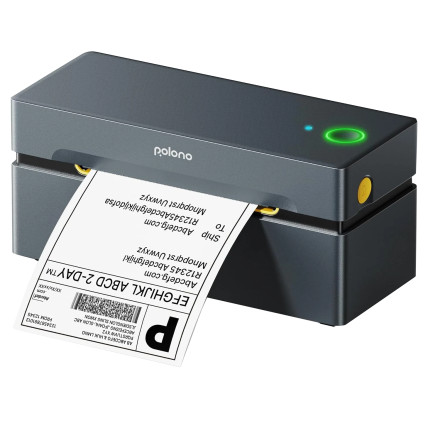
🧱 Device
🏗️ Manufacturer
#️⃣ Model No.
PL80e
🛜 Network Technology
Frequencies
Interface/port(s)
Operating System(s)
The POLONO PL80e is a Bluetooth and USB thermal label printer designed for shipping labels and barcode printing, providing fast, ink-free operation for compatible Windows and macOS computers.
Windows EXE Installation
- Download the POLONO PL80e driver
.exefile. - Double-click the installer to start setup.
- Follow the on-screen instructions to complete installation.
- Connect the printer using USB or Bluetooth and print a test label.
macOS PKG Installation
- Download the POLONO PL80e driver
.pkgfile. - Double-click the PKG installer to begin setup.
- Follow the installation prompts and enter your password if required.
- Connect the printer, add it in System Settings, and print a test label.
POLONO PL80E Label Printer Driver
File: PL80E_WinDrv_V4_1_20250729.exe
SHA-256 Checksum:
99358642ecd18daf519d4d5ec7cf0fd118c505831284cfac32b281c1ef54c334
POLONO PL80E Label Printer Driver
File: PL80E_MacDrv_V4_1_20250623_1.pkg
SHA-256 Checksum:
ed30f5e5973fc5b1513bfb388ed818b5569e760b441df2c2993d8f345824933a
POLONO PL80E Label Bluetooth Printer Driver
File: PL80E_WinDrv_V4_1_20250729_Bluetooth_Port_Auto-Adapt.exe
SHA-256 Checksum:
d8088f4deee2057ef9ec6f0babbb01bef422a32877bfe77532caa791274bce1b



