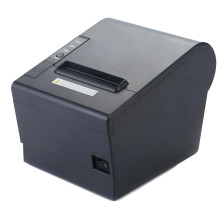
There are many generic branded thermal printers, there is no guarantee that these drivers will work. The 80 in the POS-80 name refers to printer printing on 80mm wide (3 inches) thermal paper.
How to install the driver: Download the appropriate POS-80 driver and run the installer as an administrator. Follow the on-screen prompts, then connect and power on the printer when requested. If Windows does not detect the printer automatically, manually add it through Settings > Printers & scanners and select the installed driver. Print a test receipt to verify correct operation and paper size settings.
POS 80mm Driver
File: 16685019297162.zip
2c5fb184abe4a7a9ca5043d8beb48c66d1a0eb6ea51458962312bc1bf6f74440
Thermal Printer Driver
File: Thermal_Printer_Drivers_4.57.exe
785c4b0f7ee77e769c396b12432342c10ae5a4e9a8ec8eb1fa61be3bf18929db
Thermal Printer User Manual
File: User's Manual.pdf
bfb88d75a7194f0c19def760f03cada54bfe90e8241e39145089f67b9c6882d6



