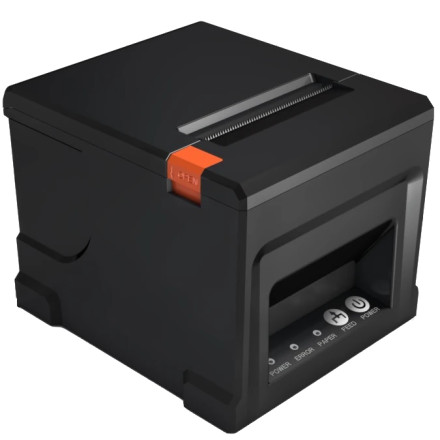
🧱 Device
#️⃣ Model No.
POS8360
Also Known As
SNROTEK SNR-POS8360
ZJ-8360
Posway POS8360
HZTZ HZ8360
NETUM NT-8360
GSAN GS-8360
EPPOS EP8360U
ALAMAN POS8360
Tigo POS 8360-L
Black Copper BC-86AC
Interface/port(s)
ASIN
B0DT98KP9X
The POS8360 is an 80mm thermal receipt printer designed for point-of-sale (POS) systems. It uses the POS 80mm/58mm Thermal Printer Driver version 11.3.0.3, which supports Windows 11, Windows 10, Windows 8, and Windows 7. The driver package is distributed as POS Printer Driver Setup03.exe, a self-extracting setup file that unpacks the installation files and launches the printer driver installation process.
Driver Details:
- Device: POS8360 80mm Thermal Receipt Printer
- Printer Type: Direct thermal receipt printer
- Driver Version: 11.3.0.3
- Package: POS 80mm/58mm Thermal Printer Driver
- Installer:
POS Printer Driver Setup03.exe - Operating Systems: Windows 11 / 10 / 8 / 7
Driver Installation
- Download
POS Printer Driver Setup03.exeand save it to your computer. - Right-click the file and select Run as administrator.
- The self-extracting setup will unpack the driver installation files.
- Follow the installation prompts to install the POS thermal printer driver.
- Connect the POS8360 to your computer using its USB connection when prompted, or after installation.
- Open Settings > Bluetooth & devices > Printers & scanners in Windows 11, or Settings > Devices > Printers & scanners in Windows 10.
- Confirm that the POS8360 appears in the installed printers list.
- Print a test page to verify that the printer is communicating correctly.