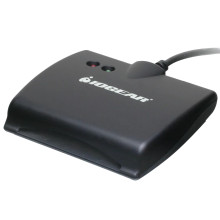
Files required to install the x on Linux are below (GSR202_Linux_Driver.zip) the install instructions. Download the .zip extract the files then follow the instructions here or in the .zip to compile the driver.
Alcormicro Smart card reader
Linux TARBALL Package Release Notes
If the version of libusb is under 0.1.9 , it need to update to latest one.
Otherwise skip step1.=========================================
[Optional]
Step1. Install libusb
# tar zxvf libusb-0.1.12.tar.gz# cd libusb-0.1.12# ./configure# make# make install( Login as a root to install driver )
=========================================Step2. Install pcsc-lite
# PKG_CONFIG_PATH=$PKG_CONFIG_PATH:/usr/local/lib/pkgconfig;export PKG_CONFIG_PATH# LD_LIBRARY_PATH=$LD_LIBRARY_PATH:/usr/local/lib; export LD_LIBRARY_PATH# tar xjf pcsc-lite-1.5.5.tar.bz2# cd pcsc-lite-1.5.5# ./configure --disable-libhal# make# make install(Login as a root to install driver)
Step3. Install ccid driver# tar zxvf ccid-1.3.12_alcormicro.tar.gz# cd ccid-1.3.12_alcormicro# PCSC_LIBS="-L/usr/local/lib -lpcsclite" ./configure --enable-usbdropdir=/usr/local/pcsc/drivers --disable-pcsclite# make# make install(Login as a root to install driver)
Note:
Make sure pkg-config already installed.
./pcscd
Add PATH=$PATH:/usr/local/sbin
Alcormicro Smart card reader Driver
File: GSR202_Linux_Driver.zip
e5c36552ea2fa5ef837126014bcc739a1f1518a400e034f481302f37976aba05



