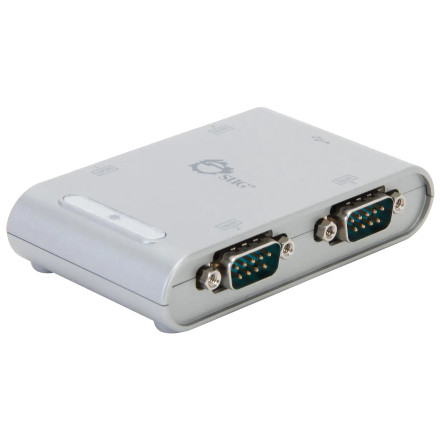
Device
Manufacturer
Model No.
JU-SC0111-S1
CPU/Chipset(s)
Interface/port(s)
Port(s)
Operating System(s)
SIIG’s 4-Port USB to RS-232 Serial Adapter Hub adds four 9-pin serial ports through USB, supporting data rates up to 230 Kb/s with plug-and-play connectivity and bus-powered operation.
Quick Install Steps
- Download and extract – Download
MCS7840_7820_7810_Windows_64bit_Driver...zipand extract the ZIP file. - Open the extracted folder – Locate the driver installation file
MSSetup_QUADPORT.exeor browse to the .inf for manual installation. - Run the installer – Double-click the setup file and follow the on-screen instructions to install the MCS7840CV driver.
- Restart and connect – Restart your computer if prompted, then connect the USB serial adapter and verify it appears correctly in Windows Device Manager.
ASIX/MOSChip MCS7840 Driver
File: MCS7840_7820_7810_Windows_64bit_Driver_v2.0.8.0_WHCK_Binary.zip
SHA-256:
45ff92a70745ce72730e886a7e61b42d9f9956d78b5babcab5e7e07d2afc6e08



