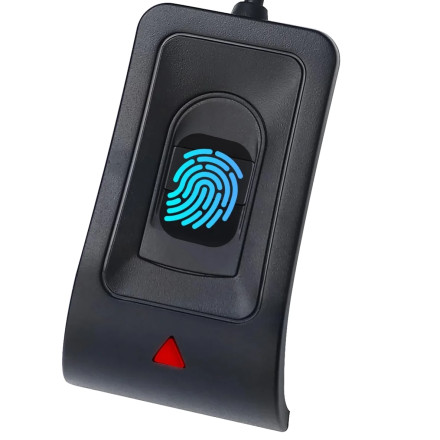
Device
Model No.
WA28
CS9711
CS3711
Also Known As
Yinhing WA28
JIANBOLAND WA28
Rocketek WA28
Dongguan Lijie WA28
Saluaqui WA28
Keenso WA28
Hyuduo WA28
Jauarta WA28
Msiud WA28
Sunxtzyl WA28
YuShaTra WA28
Treamvp WA28
MBNZIO WA28
nehzgnauh WA28
ChuyTrading WA28
Arithmetix WA28
ChipSailing Fingerprint Sensor
CPU/Chipset(s)
Interface/port(s)
UPC
717664826555
717664826586
Operating System(s)
The Generic WA28 USB Fingerprint Reader driver is provided as a CAB file for Windows 11 and Windows 10. The WA28 normally works through Windows' built-in driver support and does not usually require manual driver installation. However, if Windows does not recognize the fingerprint reader, the CAB driver (provided below) can be extracted and installed manually through Device Manager.
Quick installation:
- Connect the WA28 fingerprint reader to a USB port.
- Allow Windows Update to automatically install the driver.
- If the reader is not detected, open Device Manager.
- Right-click the device and select Update driver.
- Choose Browse my computer for drivers and select the folder containing the extracted CAB files.
For installation on Linux please check out: Github
ChipSailing Fingerprint USB Driver
File: 76b6249a-ac94-40ca-9f1a-06091e4a0c37_bebdffd22c92dbb5ce9408bcd6de67e4c7b382f7.cab
SHA-256:
5fc3e008e7ecf33c819da3477f313351524a6a19c3b48049774642b7e70b0f34
📖Documentation/Manuals:



