🧱 Device
🏗️ Manufacturer
#️⃣ Model No.
51011615
3902B202
Also Known As
Pinnacle Systems DV500-1394
CPU/Chipset(s)
Interface/port(s)
Operating System(s)
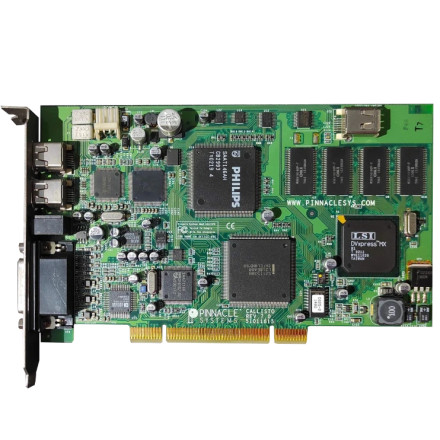
The Pinnacle Systems Callisto REV:7.0 51011615, also known as the DV500, is a video capture and editing card with support for both video and FireWire connectivity. The driver package is provided in dv500402small.zip and includes the required drivers for the video hardware and IEEE 1394 FireWire controller.
Manual Installation
- Extract
dv500402small.zipto a folder. - Open Device Manager and locate the unrecognized DV500 video or FireWire devices.
- Right-click each device and select Update Driver.
- Choose Install from a list or specific location and browse to the extracted driver folder.
- Select the appropriate
.INFfile and complete the installation. - Repeat the process for any remaining DV500 devices, then restart Windows.
Pinnacle Systems DV500 Driver
File: dv500402small.zip
SHA-256 Checksum:
c732745e239ac536486bbc2e06080d3cedfb0a7d2ace89e71aa67eefe37c44d0



