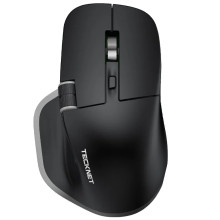
The Status Indicator shows the following states:Red (Flashing) Low BatteryBlue (Solid) Charging in ProgressGreen (Solid) Fully Charged
Bluetooth:
When pairing with Bluetooth button hold the button under the mouse for 3 seconds.
Turn on BT on your computer. Search and select "TK-MS029 BT1" or “TK-MS029 BT2” to start pairing
USB Dongle:
Connection issues may occur due to interference or environmental factors. If the
mouse disconnects, follow the steps below to reconnect.
1. Unplug the USB receiver from your computer and ensure the mouse is charged.
2. Turn on the mouse, and then switch to the USB channel.
3. Press and hold the left, middle (scroll wheel), and right buttons simultaneously for 3 seconds. The USB Channel Indicator flashes quickly showing the mouse has entered pairing status. Quickly plug the USB receiver back into a USB port on your computer while bringing the mouse within 30 cm of the receiver. Complete this step within 20 seconds.
4. The pairing of the mouse and receiver is successful when the indicator light turns off. The mouse is ready for use.



