🧱 Device
🏗️ Manufacturer
#️⃣ Model No.
FV-BE6500
CPU/Chipset(s)
Interface/port(s)
Port(s)
ASIN
B0GSJNLX1V
Operating System(s)
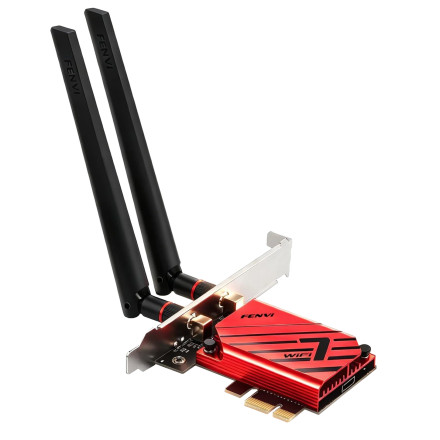
The Fenvi FV-BE6500 is a PCIe wireless network adapter supporting WiFi 7 and Bluetooth 5.4 connectivity. The adapter uses the MediaTek MT7925 wireless chipset, also associated with the AMD RZ717 wireless adapter. The MediaTek MT7925 WiFi 7 and Bluetooth driver package provides support for compatible Windows 11 and Windows 10 (64-bit) systems.
Driver Installation
- Download the MediaTek MT7925 WiFi 7 and Bluetooth driver package.
- Extract the downloaded archive if it is provided as a ZIP file.
- Open the extracted folder and locate the wireless LAN and Bluetooth driver installers.
- Install the Wi-Fi driver first, following the setup instructions.
- Install the Bluetooth driver separately if it is included in the package.
- Restart Windows after installation.
- Open Device Manager and check under Network adapters and Bluetooth to confirm both devices are detected correctly.
Troubleshooting
- Wi-Fi adapter not detected: Check that the PCIe card is properly seated in its motherboard slot and that the required antenna connections are attached.
- Bluetooth not detected: Many PCIe Wi-Fi/Bluetooth adapters use an internal USB connection for Bluetooth. Make sure the card's Bluetooth USB header cable is connected to an available motherboard USB 2.0 header.
- Driver installation fails: Verify that the hardware is identified as a MediaTek MT7925 and that you are using the 64-bit driver package.
- Wi-Fi 7 features unavailable: Actual wireless capabilities depend on the router, Windows version, driver support, and compatible network configuration.
- Bluetooth connection problems: Remove previously paired devices from Windows Bluetooth settings and pair them again after installing the driver.
Compatibility Note: These drivers are intended for the MediaTek MT7925 chipset.



