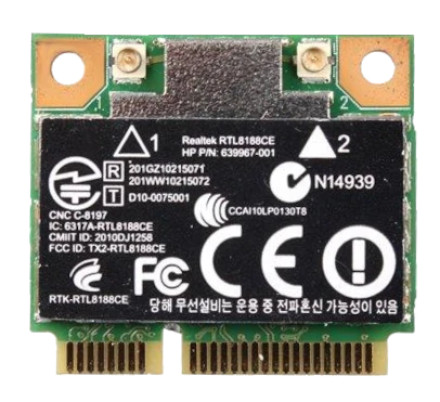
Device
Manufacturer
Model No.
RTL8188CE
639967-001
CPU/Chipset(s)
Version:
1005.31.1222.2011
Network Technology
Interface/port(s)
FCC ID
RTK-RTL8188CE
The Realtek RTL8188CE is a single-band 802.11b/g/n wireless chipset commonly found in older laptops and PCIe wireless adapters. The 88_92ce_WindowsDriver_1005.31.1222.2011.zip package contains the Windows driver files for compatible RTL8188CE hardware.
Quick Installation
- Download 88_92ce_WindowsDriver_1005.31.1222.2011.zip.
- Extract the ZIP file to a folder.
- Open Device Manager and locate the Realtek wireless adapter.
- Right-click the device and select Update driver.
- Choose Browse my computer for drivers, select the extracted folder, and click Next.
- Restart Windows if prompted.
Realtek RTL8188CE Wireless LAN 802.11n PCI-E NIC Driver
File: 88_92ce_WindowsDriver_1005.31.1222.2011.zip
SHA-256:
054219c72b4afbd0bcdc760efc00e5fb75799ac6e908346418d0325a5b69fcd7
Compatible Laptop: HP 4431S 4436S 4430S 4230S
HP: 640926-001
HWID(s)



