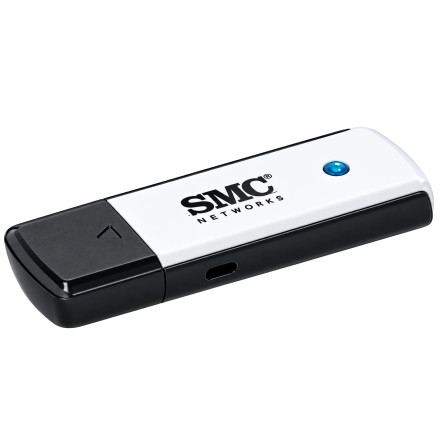
Device
Manufacturer
Model No.
SMCWUSB-N4
Also Known As
SMCWUSBS-N4
CPU/Chipset(s)
Network Technology
Frequencies
Interface/port(s)
FCC ID
JI5SMCWUSBN4
Year
The SMC EZ Connect SMCWUSB-N4 USB Adapter Driver provides Windows support for the SMCWUSB-N4 wireless USB adapter. It enables the computer to recognize the adapter and connect to compatible Wi-Fi networks using the device’s supported wireless networking capabilities.
Install SMCWUSBS-N4 Driver
- Extract the ZIP: Right-click
SMCWUSBS-N4.zipand select Extract All. Open the extracted driver folder. - Plug in the adapter: Connect the SMC wireless USB adapter to an available USB port. Windows may show it as an unknown device.
- Open Device Manager: Right-click Start → Device Manager. Locate the SMC/USB wireless adapter, right-click it, and select Update driver.
- Install manually: Choose Browse my computer for drivers → Let me pick → Have Disk, then browse to the extracted folder and select
netathurx.inf. Follow the prompts to complete the installation.
Additional drivers are available by clicking the chipset that is listed in the device specs on this page.
SMC EZ CONNECT SMCWUSB-N4 Adapter Driver
File: SMCWUSBS-N4.zip
SHA-256:
fd836b869b8d5ef56f7587032a37bed819bfb11400fd05557c2d0c54acc3cb26
HWID(s)



