Device
Manufacturer
Model No.
TX201
Network Technology
Interface/port(s)
Port(s)
Operating System(s)
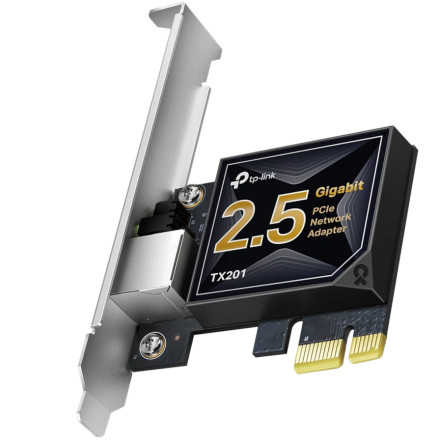
The TP-Link TX201 is a PCIe network adapter that supports wired Ethernet connections at speeds up to 2.5 Gbps. Windows drivers are provided in a RAR archive, while the Linux package supports Kernel 5.17. Install the appropriate driver for your operating system to enable network connectivity.
Windows Driver Installation
- Download
TX201(UN) 1.0 Windows driver.rar. - Extract the RAR archive using 7-Zip.
- Open the extracted folder and run the setup program, if included.
- Follow the installation instructions and restart your computer if required.
Linux Driver Installation
- Download
TX201(UN) 1.0 Linux driver-9.009.01.bz2. - Extract the archive using the terminal or your preferred archive utility.
- Follow the included README or installation instructions to compile and install the driver.
- Load the driver and verify that the network adapter is detected.
Compatibility: Windows 11, Windows 10 and Linux Kernel 5.17 (Linux package).
TPLink TX201 Adapter Driver
File: TX201(UN) 1.0 Windows driver.rar
SHA-256:
64c3f3c8ce5a156057c4f374ee4ec28e975be48a90e05e9b960be20315227d19
TPLink TX201 Adapter Driver
File: TX201(UN) 1.0 Linux driver-9.009.01.bz2
SHA-256:
1bfc5b43a98c7b800fce4885d85e8f7eb4a9f3a245fd0f55eb3912634c2a04ff



