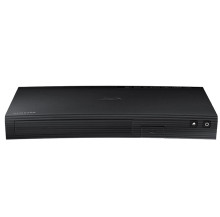
Device
Manufacturer
Model No.
BD-JM51
BD-JM51/ZA
Also Known As
Samsung BD-JM51 Manual
Network Technology
Interface/port(s)
Video Technology
This update is intended to be extracted onto a USB flash drive then placed into the USB slot on the Blueray player then follow this procedure:
In the player’s menu, go to
Settings > Support > Software
Upgrade.
If your Blueray player is online this update can be done automatically. Please do this before trying this method.
Samsung BD-JM51 Firmware Update
File: B-JM53BSPWWB-1020.1.zip
SHA-256:
29f6c535635353f6a135bbdf77f3892222550dce5b42172deaf0ba088d542a09
Samsung BD-JM51 Player User Manual
File: 02604A_BD_JM51_ZA-01.pdf
SHA-256:
f0029828b3f0fc58f505adafc870d3b6cca6b63958861d3a70098c1d72bde0bd
Samsung BD-JM51 Firmware Upgrade Method
File: USB_Upgrade_Method.pdf
SHA-256:
5b1d48586776d16baba959a90582e98165f22bd5184c09de207d336cf5ccf17a



