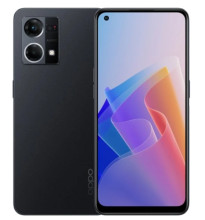
Oppo A77 5G USB Drivers will help your Windows computer recognize your Android device. Then you can transfer files from computer to Android or even install the stock or custom ROM to your Android device.
MediaTek DA USB VCOM (Android) Driver 3.0.1504.0
File: 20913465_17e56bbd9fe9351b9477154c0414ce86e21a42bb.cab
86c3909a00973b960c761ac9a7992dae5158e4c22966c0a3d849a586c04c359a
MT65XX Preload USB VCOM Driver
File: MT65XX-USB-VCOM-drivers.zip
dd8baf1610edece3f4de8b1c419ff3c98fb5f9e01de3e7e9537979477b967284
Android Composite ADB Interface
File: Gsmart Maya_M1 V2 usb_driver V1.0.zip
9de922b27c076d73fa1344aa28a7b322483ad18f2a542717a0ee5e061371a9d1
Step 1 — Download and extract the Android USB Driver to your PC.
Step 2 — Click Start (Windows) -> Control Panel -> Device Manager (Select Device Manager).
Step 3 — On the Device Manager window find and click on computer name to select Add legacy hardware.
Step 4 — Select Next
Step 5 — Selext Install the hardware that I manually select from a list (Advanced), and click the Next
Step 6 — Select Show All Devices afterward click Next button again.
Step 7 — Click the Have Disk button.
Step 8 — Click Browse button to find the extracted Android ADB Driver -> android_winusb.inf and click on Open.
Step 9 — Click OK.
Step 10 — Now select the Android ADB Interface -> click Next button.
Step 11 — Click Next button again.
Step 12 — Windows Security box will appear, to confirm whether you really want to install the Android USB Driver, so just choose the Install this driver software anyway.
Step 13 — Once you clicked the Finish button, then repeat from step 2 to choose Android Composite ADB Interface.
Step 14 - Done.



