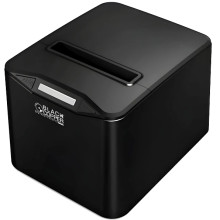
Device
Manufacturer
Model No.
BC-87AC
Network Technology
Interface/port(s)
The Black Copper BC-87AC is a thermal receipt printer designed for point-of-sale printing. The Windows driver is provided in the Black Copper 80 Printer Driver Setup V1.1.exe package, which can be used to install the printer on compatible Windows systems.
Quick Installation
- Download Black Copper 80 Printer Driver Setup V1.1.exe.
- Right-click the file and select Run as administrator.
- Follow the printer setup instructions.
- Connect the BC-87AC when prompted, or select the appropriate USB/port connection.
- Complete the installation and print a test receipt.
Black Copper 80 Printer Driver
File: Black Copper 80 Printer Driver Setup V1.1.exe
SHA-256:
af556d7367d828a73076febf19bb40677be4ca5e2181140830af51a8390925d7



