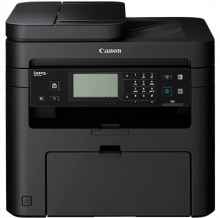
Device
Manufacturer
Model No.
MF237w
RAM (Max.)
256 MB
Network Technology
Interface/port(s)
Drivers for the Canon i-SENSYS MF237w can be downloaded below for Windows 11, 10, 8.1, 8, 7 & Vista. To Install simply download the .exe file for your operating system and save to a location you can easily access and run the file as an administrator to start the installation process. Follow the on screen steps until completed.
The Canon i-SENSYS MF237w is a multifunction monochrome laser printer designed for small offices and home office environments. This all-in-one printer combines printing, scanning, copying, and faxing capabilities in a compact and cost-effective package.
Canon MF237w/MF232w MFDrivers
File: MF230SeriesMFDriverV520WPEN.exe
SHA-256:
ed04560a6bf55c1dac2c814302c7d87418e40aa88d0743ecaf89da8e67f22eb6
What ink cartridge does the Canon i-SENSYS MF237w use?
- Cartridge 737 (2,400 pages)



