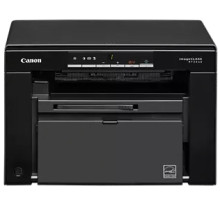
The Canon imageCLASS MF3010 Printer Driver enables communication between the Canon MF3010 multifunction laser printer and Windows operating systems. Installing the correct driver allows users to access printing and scanning features while improving compatibility, performance, and system stability. The compact monochrome laser printer is popular in home offices and small businesses for its reliable printing, fast output speeds, and integrated scanning capabilities. Canon provides drivers for Windows 11, Windows 10, Windows 8.1, Windows 7, and select macOS versions. Keeping the driver updated can help resolve printing errors, scanner detection problems, and connectivity issues with USB-connected systems.
Canon imageCLASS MF3010/ MF3010 VP MFDrivers (UFR II / ScanGear)
File: MF3010MFDriverV3901WPusEN.exe
57126faa15c2e095955f87ef9816f924b431f04590c41feb18d19d1779c33a29
UFR II/UFRII LT V4 Printer Driver
File: UFRII_V4_PrinterDriver_V712_00.exe
04d2e8b6f97ecdbf6149ef728dccd1e27a7ad604327a8fa2972b7d5b6323ac32
Canon MF Printer Driver
File: mac-mf-v101111-00.dmg
96a508b8817dcf2f4b7b59ad21e195a640c540ff08a6411639aa7834d23e0743
What toner does the imageCLASS MF3010 use?
- Cartridge 125 Black - Yields up to 1,600 Pages



