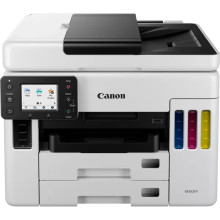
The Canon MAXIFY GX7040 Printer is a high-performance inkjet printer engineered for demanding office environments. Featuring advanced PrecisionCore printhead technology, it delivers precise and consistent droplet placement for sharp text and vibrant graphics at remarkable speeds of up to 24 pages per minute. Its large-capacity ink tanks ensure continuous productivity, reducing the frequency of refills and minimizing downtime. The printer's robust build and duplex printing capabilities further enhance efficiency. Equally crucial are the Canon MAXIFY GX7040 Printer Drivers, which optimize print quality, enable advanced features, and ensure seamless compatibility with various operating systems, thereby maximizing the printer's performance and reliability in professional settings.
GX7000 series MP Driver
File: md__-win-gx7000-1_02-ea34_2.exe
90a97608783966f5c92e04d2152892e402600af4f343fc7cb4f416fad313aa72
GX7000 series Driver setup package
File: win-gx7000-1_1-n_mcd.exe
6ff6c644035067b9788d068ca423b99a9879706dc03ca445949cc6c073080058
Windows Printers and Multifunction Printers security patch
File: cijpfdp_2108b.exe
8dd427942e8e31c574841b714286f9171dafe7b49dd781ec9b62ff0cc61cf1a4
What ink does the Maxify GX7040 use?
GI-56 BK, GI-56 C, GI-56 M & GI-56 Y



