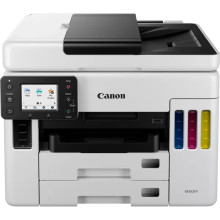
The Canon MAXIFY GX7050 is a robust inkjet printer engineered for small businesses and home offices, offering high-speed and high-volume printing capabilities. With its innovative refillable ink tank system, it ensures cost-effective printing without compromising quality. This all-in-one device excels in printing, scanning, copying, and faxing, catering to diverse office needs. Its network connectivity options, including Wi-Fi and Ethernet, enable seamless integration into various work environments. The Canon MAXIFY GX7050 drivers complement its functionality, providing optimized performance and compatibility across different operating systems. Together, they deliver reliable and efficient printing solutions, empowering users to streamline workflows and achieve professional results effortlessly.
GX7000 series MP Driver
File: md__-win-gx7000-1_02-ea34_2.exe
90a97608783966f5c92e04d2152892e402600af4f343fc7cb4f416fad313aa72
GX7000 series Driver setup package
File: win-gx7000-1_1-n_mcd.exe
6ff6c644035067b9788d068ca423b99a9879706dc03ca445949cc6c073080058
Windows Printers and Multifunction Printers security patch
File: cijpfdp_2108b.exe
8dd427942e8e31c574841b714286f9171dafe7b49dd781ec9b62ff0cc61cf1a4
What ink does the Maxify GX7050 use?
GI-56 BK, GI-56 C, GI-56 M & GI-56 Y



