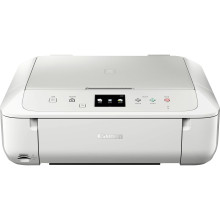
Device
Series
Manufacturer
Model No.
89501315
Network Technology
Interface/port(s)
Drivers for the Canon Pixma MG6853 can be downloaded below for Windows 11, 10, 8.1, 8 and 7 for both x64 and x86 based processors. To install the drivers simply download the .exe file below and run as an administrator in the case of a LAN computer.
MG6800 series Full Driver & Software Package
File: win-mg6800-1_0-jucd.exe
SHA-256:
66f62a7a98552bec39a458a0ed4d8289356023dfd63ff42e3afdee265dace938
MG6800 series XPS Printer Driver
File: xp68-win-mg6800-5_90-ea34_2.exe
SHA-256:
72fec323999d280a3a606a4ec8bd4f7c069c31dd88a9826915dbbe6b8d50c78a
What in Ink does the Canon PIXMA MG6853 use?
| Regular: PGI-570 Pigment Black CLI-571 Cyan CLI-571 Magenta CLI-571 Yellow CLI-571 Black | Extra Large: PGI-570 XL Pigment Black CLI-571 XL Cyan CLI-571 XL Magenta CLI-571 XL Yellow CLI-571 XL Black |



