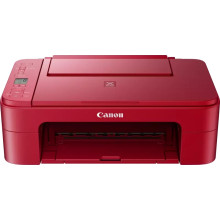
Device
Series
Manufacturer
Model No.
3771C048
Network Technology
Interface/port(s)
Drivers for the Canon PIXMA TS3352 Printer can be downloaded below for Windows 11, 10, 8.1, 8 and 7. To install these drivers, download the files below for and save them to a location that you can easily access and run them as an administrator, follow the steps to install the printer to your computer. For more information visit the official Canon website.
❓Additional Drivers:
Canon TS3300 series MP Drivers
File: md__-win-ts3300-1_03-ea34_2.exe
SHA-256:
4f91d137ef2427ac05a7fd7b23d276b5942a53c997bf2672f2ad6a44e84cf172
(Online Installer)Canon TS3300 series Driver setup package
File: win-ts3300-1_4-n_mcd.exe
SHA-256:
a9033abaf90fbf644ffc73a7dcc1327875f59278661576c4edc46ef873f76dbe
What ink does the Pixma TS3350 use?
Standard Ink Cartridges
PG-545 (Black)
CL-546 (Color)
Optional XL Ink Cartridges
PG-545XL (Black)
CL-546XL (Color)



