To use this printer on Windows 11/10 use the zip file below and manual install the driver.
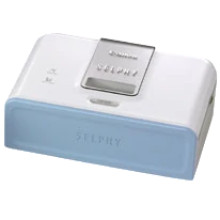
The Canon SELPHY CP510 Compact Photo Printer was a portable and user-friendly device that gained popularity for its ability to produce high-quality photo prints. It featured dye-sublimation printing technology, which delivered vibrant and durable prints that resisted fading. The CP510 was remarkably compact, making it easy to carry and use on the go, and it required no messy ink refills, as the ink was embedded in the paper itself.
This printer had a user-friendly interface with a built-in LCD screen, allowing users to select and edit photos directly from their memory cards. While it offered convenient and reliable photo printing, it has since been surpassed by more advanced and versatile photo printing options in the market.
Canon SELPHY CP510 Printer Driver
File: cp510w764.exe
2bafc85c3645473d3bc6a8a8ef2bd4bdffa7e72c511ec9e0e8a79e018e781319
Canon SELPHY CP510 Printer Driver
File: cp510w7.exe
ff5b5958f6221ece58155998728cda822afaf12c2bba37e2c4aa53bfd21468e7
Canon SELPHY CP510 Printer Driver (Manual install)
File: cp510w764.zip
3413b713aa21eaa0f1e68aecbcb6faabebfe2d86d2653cb6921ee327b8f8acbd



