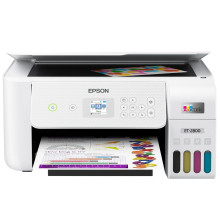
Device
Series
Manufacturer
Model No.
C11CJ66202
ET-2800
Network Technology
Interface/port(s)
UPC
010343957893
Links to the official Epson ET-2800 Series Printer driver and software can be download below. For Windows 11, 10, 8.1, 8 and 7 on x64 and x86 systems. Learn how to install the below.
❓Additional Drivers:
Epson ET-2800/ET-2803 Driver
File: ET2800_ET2803_X64_30100_NA.exe
SHA-256:
bf4a074ac060f9faea508d66c1d643967cf50ec7a50cfcd6e384cb78d0ddbc57
Epson ET-2800/ET-2803 Driver
File: ET2800_ET2803_X86_30100_NA.exe
SHA-256:
7e6807b604568d0b57a3c7522d32d431b605d8562803cda58f7650df6c19bbbb
Epson ET-2800/ET-2803 Scanner Driver and Epson Scan 2 Utility
File: ET2800_ET2803_EScan2_65290_NA.exe
SHA-256:
64695bfd3b0e5fbdaefb5eb3f7c3fa3fbf62fb92319a0918474d26b11d8db244
What ink does the Epson ET-2800 Printer use?
- Epson 522 Bottles for Black, Yellow, Magenta, and Cyan



