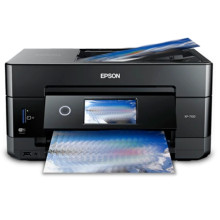
The Epson XP-7100 Printer Driver enables full functionality of the Epson Expression Premium XP-7100 all-in-one printer on Windows and macOS systems. Installing the correct driver provides access to high-quality printing, scanning, copying, and wireless connectivity features. It also ensures proper communication between the computer and printer, improved performance, compatibility with operating system updates, and reliable operation for home, office, and photo printing tasks.
Epson XP-7100 Printer Driver
File: XP7100_X64_26002_NA.exe
aa59d446343dc769fc0e7318353e7c9cb7f039faf0ad8c6aabf7994facad9525
Epson XP-7100 Printer Driver
File: XP7100_X86_26002_NA.exe
ecf0cc03aeb26bb29bedcaf20a73793725fefe79728032e8f1ed308592c43a26
Epson XP-7100 Scanner Driver and Epson Scan 2 Utility
File: XP7100_EScan2_6490_NA.exe
e7067c7080ce1e6ef0597be15158940b41d8494cb5d013924fd82cae3c1b4260
Epson XP-7100 Scanner Driver and Epson Scan 2 Utility
File: XP7100_EScan2_64143_NA.dmg
1385c675e93d048ee70c5ca7e340a6633ae789054412649becab798a40710b53
Recovery Mode Firmware Update for the Epson XP-7100
File: FWH285TL_YL16LB.exe
5e02cc03d929708e8b98a51d1eecff8247f0498a8f2f208c52018bdf24ce8c6f



