🧱 Device
🏗️ Manufacturer
#️⃣ Model No.
C11CD28201
Interface/port(s)
Operating System(s)
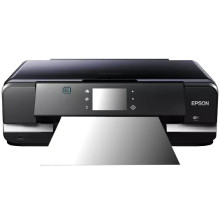
To install the drivers for the Epson XP-950 Driver use the links below to the official drivers for Windows 11, 10, 8.1, 8, 7 through to Windows XP. These drivers work on both x64 and x86 based Windows computers.
Epson Drivers and Utilities Combo Package
File: epson18042.exe
SHA-256 Checksum:
e9ed0456c6a0b4712097d25f3e8294f89bc3cb851bac0df6a81727f8d14e1f57
Epson Printer Driver
File: XP950_X64_71301_NA.exe
SHA-256 Checksum:
a80d2d9804156a8d9ff001548d39c793826f26fca3a87f927df1b8dec004a4f1
Epson Printer Driver
File: XP950_X86_71301_NA.exe
SHA-256 Checksum:
1ba7cd42ba657745d65877ee6f7ca0c931ff6fd0b0d13f5f9256dbb7a8ed18f9
Epson Scanner Driver and EPSON Scan Utility
File: XP950_X86_71301_NA.exe
SHA-256 Checksum:
668097e2b33802938f5b58190f7a1f35e1fcfeff8718e736148ae1fcfcfac7d0
Epson Printer Driver
File: PhotoIJP_1262_AM.dmg
SHA-256 Checksum:
e9ed0456c6a0b4712097d25f3e8294f89bc3cb851bac0df6a81727f8d14e1f57
Epson Scanner Driver and Epson Scan 2
File: XP950_EScan2_64143_NA.dmg
SHA-256 Checksum:
6f019cc525ebcddbeff039c4e57d5d6954b7b9d6f584a0805c6977a6ecc705bf
➕ Additional Drivers:



