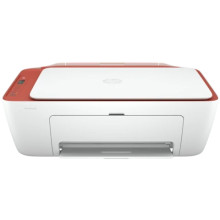
The HP DeskJet 2729 All-in-One Printer Series offers fundamental printing versatility. With printing, scanning, and copying capabilities, it fulfills basic home and small office requirements. This series features wireless connectivity for convenient printing from smartphones, tablets, and computers. Its compact form factor is designed for space efficiency, while the user-friendly interface ensures easy operation. The DeskJet 2729 produces decent quality prints and supports borderless photo printing. While not intended for heavy-duty tasks, its affordability, modern features, and wireless convenience make it a suitable choice for users seeking straightforward and budget-friendly printing solutions.
HP Easy Start Printer Setup Software
File: HPEasyStart-13.6.5-DJ2700_51_4_4865_1_Webpack.exe
fcfb9d9a6da978c48bd0ffd206b2fa218917eb5ace89b710e234aa96594841d9
What Ink cartridges does the HP DeskJet 2729 use?
HP 67XL Black High Yield Ink Cartridge (3YM57AN#140), print up to 240 pages
HP 67 Tri-Color Standard Yield Ink Cartridge (3YM55AN#140), print up to 100 pages
HP 67XL/67 Black High Yield and Tri-Color Standard Yield Ink Cartridge, 2/Pack (3YP30AN#140)



