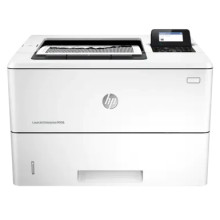
The HP LaserJet Enterprise M506 is a high-performance monochrome laser printer designed for businesses that require efficient, high-quality printing. To ensure the printer operates optimally with Windows operating systems, it is essential to install the correct HP LaserJet Enterprise M506 printer drivers. These drivers serve as the critical link between the printer and your Windows PC, facilitating smooth communication and access to the printer’s full range of features.
The HP LaserJet Enterprise M506 drivers are available for various Windows versions, including Windows 10, 8.1, 8, 7, and Server editions. These drivers are tailored to provide compatibility and performance enhancements specific to each operating system. Proper installation of these drivers ensures that the printer functions correctly, delivering clear and consistent print quality for both text documents and graphics.
The drivers for the HP LaserJet Enterprise M506 include several features and utilities that enhance the printing experience. Key features include support for high-resolution printing, multiple paper sizes, and advanced print settings. Additionally, the drivers come with tools for managing print jobs, monitoring toner levels, and configuring printer settings. These tools are crucial for maintaining printer efficiency, reducing downtime, and optimizing print output.
Installation of the HP LaserJet Enterprise M506 drivers is straightforward. Users can download the drivers from the official HP website or use the installation CD that comes with the printer. The installation process typically involves running an executable file and following the on-screen instructions. For ongoing maintenance, keeping the drivers updated is important to ensure compatibility with the latest Windows updates and to take advantage of any performance improvements or bug fixes.
In summary, installing and maintaining the correct HP LaserJet Enterprise M506 printer drivers is essential for achieving reliable performance and maximizing the printer’s capabilities on Windows operating systems. Regular updates and proper installation help ensure seamless operation and high-quality printing, making the M506 a valuable asset in any business environment.
HP LaserJet Enterprise M506 Printer Series PCL-6 Win8 Plus Full Solution
File: HP_LaserJet_Enterprise_M506-PCL_6_Win8_Plus_Full_Soln-18142.exe
c9c768555823fe6d66cea72fdd9ca3fe33925dd9eb2dcb0e917886f0335a3efc
HP LaserJet M506 v3 PCL 6 Print Driver (no installer)
File: HP_LJ_Ent_M506-PCL6_Print_Driver_no_Installer_21033_1.exe
c14e10c75573bde8a67248cf08c06869ee8a8ee9ea75cb38bda97d5dd3886b65
HP LaserJet Enterprise M506 V4 PCL-6 Print Driver (no installer)
File: HP_LJ_Ent_M506_PCL6_Win8_Plus_Print_Driver_no_Installer_21033_1.exe
f4f0735d5291bfa251eb9ed80994ce606809fa8f1dd1cb52be216580055949ea
What toner cartridge does the HP LaserJet Enterprise M506 use?
- HP 87A Black Toner



