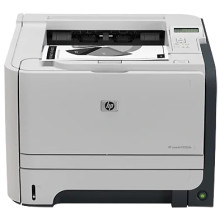
Device
Manufacturer
Model No.
CE459A#ABA
Interface/port(s)
The HP LaserJet P2055dn is a monochrome laser printer supported by the HP Universal Print Driver (UPD). This driver provides printing support for compatible HP LaserJet printers and is available for Windows 11, 10, 8.1, 8, and 7. It can be useful when setting up the P2055 on newer Windows computers.
Driver: HP Universal Print Driver — Windows 11/10/8.1/8/7
Installation Instructions
- Download and extract the HP Universal Print Driver package if required.
- Open Settings → Bluetooth & devices → Printers & scanners in Windows 11, or Settings → Devices → Printers & scanners in Windows 10.
- Select Add device. If the P2055dn is not detected, choose the option to add it manually.
- Select the appropriate USB or network connection and follow the prompts to install the driver.
- Print a test page to confirm the printer is working correctly.
Note: Choose the correct 64-bit driver package for your Windows version and connection type. The HP Universal Print Driver may offer PCL6 and PostScript options; use the package recommended for your printing requirements.



