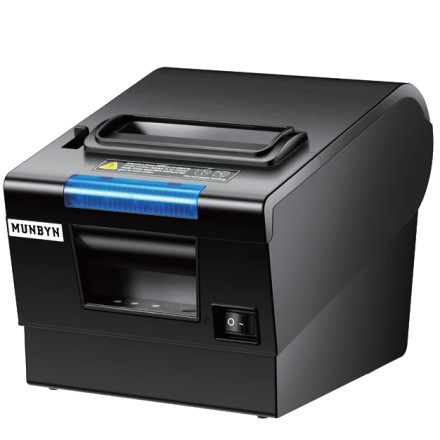
The MUNBYN P068 (MU-ITPP068-US) is an 80mm thermal receipt printer designed for point-of-sale systems, retail counters, and receipt printing applications. The Windows driver is provided through POS Printer Driver Setup V7.17, which installs the printer software needed for Windows to communicate with the device.
MUNBYN also provides POS Printer Test V3.30C, a utility for testing printer functions and checking basic printing operations after installation.
Driver and Software Details:
- Device: MUNBYN P068
- Model Number: MU-ITPP068-US
- Printer Type: 80mm Thermal Receipt Printer
- Driver Installer:
POS Printer Driver Setup V7.17 - Testing Utility:
POS Printer Test V3.30C - Operating Systems: Windows 11 / Windows 10
Driver Installation
- Download and run POS Printer Driver Setup V7.17.
- Follow the installation instructions to install the POS printer driver.
- Select the appropriate printer model if the setup program asks you to choose one.
- Connect the MUNBYN P068 to your computer using its USB connection when prompted, or after installation.
- Open Settings > Bluetooth & devices > Printers & scanners in Windows 11, or Settings > Devices > Printers & scanners in Windows 10.
- Confirm that the MUNBYN printer appears in the installed printers list.
- Open Printer Properties and check that the printer is configured for the correct 80mm paper width.
- Print a test page or receipt to verify that the installation was successful.
Using POS Printer Test V3.30C
The POS Printer Test V3.30C utility can be used to check printer operation and test available functions after installing the driver.
- Run
Printer Test V3.30C.exe. - If the program opens in another language, change the language setting to English first.
- Select the MUNBYN P068 printer or its corresponding USB/installed printer port.
- Check the available testing functions.
- Run a sample print test to verify that the printer responds correctly.
- Use the additional test functions to check supported printer operations.
The testing utility is useful for checking basic printing functionality and identifying communication or configuration problems without relying on a separate POS application.