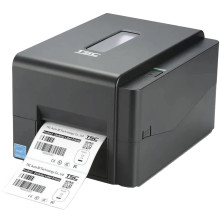
Device
Manufacturer
Model No.
TE244
Also Known As
TSC TE244 Desktop Thermal Transfer Barcode Printer
Interface/port(s)
The TSC TE244 printer driver facilitates seamless communication between your computer and the TE244 printer, ensuring efficient printing with optimal performance and compatibility. The TSC site has good support, though a little confusing to navigate.
4 Quick Steps to Install TSC TE244 Printer Driver
- Download the driver – Download the correct TSC TE244 printer driver for your version of Windows.
- Run the installer – Locate the downloaded file and double-click the setup program.
- Follow the prompts – Complete the installation and select or connect the TSC TE244 printer when prompted.
- Test the printer – Print a test label or page to confirm the driver and printer are working correctly.
(WHQL) TSC Windows Printer Driver
File: tsc_whql_2023.3.1.zip
SHA-256:
cb45de8c21746873e9ed8e1a4efb8e501317d1553b76a319cfaaaa87a69792fb
TSC Windows Printer Driver
File: tsc_2023.3_m-1.zip
SHA-256:
755be14b63076918c8979514e6124bb9b06550ecbdab5eeef4399c21f9574aad
TSC macOS Printer Driver
File: tsc-1.25-install.zip
SHA-256:
3a022013d4a70244a29a7fd1998eb919d58b2c33c2b1bcd0b3077b0b0dcd8a52
TSC Linux Printer Driver
File: linux64_v1.2.10.zip
SHA-256:
82addc9e63c3fdc52c0c6817ba5fa319850a765c01df48d0b2e387db63a14e13
TSC Linux Printer Driver
File: linux32_v0.2.06_0.zip
SHA-256:
38c4e36c5cfad96aaf4e361f136f27dc376be10d60759208fc217fb3c18ebb04
HWID(s)



