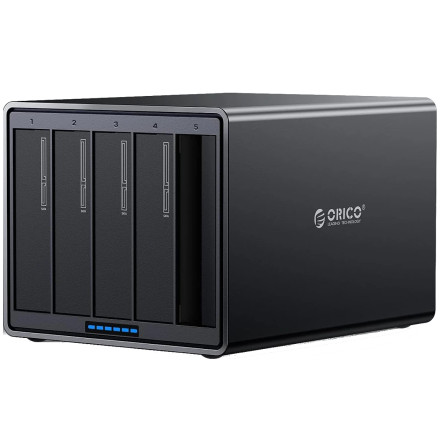
🧱 Device
🏗️ Manufacturer
#️⃣ Model No.
ORICO-NS500RU3
Interface/port(s)
ASIN
B08MHYM9YL
Operating System(s)
The ORICO NS500RU3 is a five-bay USB 3.0 hard drive enclosure that allows you to connect multiple SATA hard drives to a computer through a single USB connection. It supports up to five 16TB drives, providing a maximum combined storage capacity of 80TB (5 × 16TB).
Common Troubleshooting Tips
- USB 3.0 Compatibility: For the best performance, connect the enclosure to a USB 3.0 port. It can also work with USB 2.0 connections, but transfer speeds will be considerably slower.
- External Power Supply: This enclosure requires its own external power supply. USB power alone is not sufficient to operate five hard drives. Make sure the power adapter is connected and switched on.
- Hard Drive Not Detected: Check that each drive is properly seated in its bay. If a drive is missing, try connecting it individually to determine whether the problem is with the drive or enclosure.
- Slow Transfer Speeds: Make sure you are using a USB 3.0 cable and connecting directly to a USB 3.0 port rather than a USB 2.0 hub.
- Drive Initialization: New or unformatted hard drives may need to be initialized and formatted through Windows Disk Management before they appear in File Explorer.
Important: The 80TB maximum capacity assumes five compatible 16TB drives are installed. Actual usable storage will depend on drive formatting and any RAID or storage configuration being used.
📖Documentation/Manuals:



