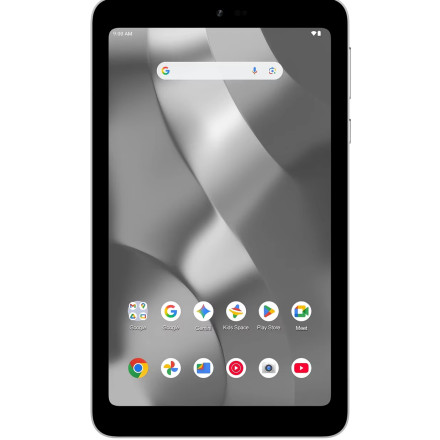
The onn. 7-inch Core Tablet (Model 36020962, 64 GB, 2026) uses Android 16. To communicate with the tablet from a Windows PC using Android Debug Bridge (ADB), you need to enable USB debugging and have a compatible USB connection driver installed.
Unlike some Samsung or Google devices, this tablet may not have a dedicated OEM ADB driver package. Windows may use its built-in Android ADB interface driver or a compatible Google USB driver.
Enable ADB on the onn. tablet
- Open Settings → About tablet.
- Find Build number and tap it seven times to enable Developer options.
- Return to Settings and open System → Developer options.
- Enable USB debugging.
- Connect the tablet to Windows using a USB-C data cable.
- Unlock the tablet and accept the USB debugging authorization prompt.
Android documents USB debugging as the required setting for ADB communication.
Windows ADB driver setup
I would start with the standard Google USB driver rather than an unverified MediaTek flashing package.
- Google USB Driver: Available through Android Studio's SDK Manager.
- ADB Platform Tools: Provides
adb.exe; this is separate from the USB driver. - Device Manager: If the tablet appears as an unknown device, manually update its driver and select the compatible Android ADB interface.
To test the connection, open PowerShell in the Platform Tools folder and run:
.\adb.exe devicesThe tablet should appear with a device identifier and the status device. If it says unauthorized, check the tablet for the authorization prompt.
Important distinction: ADB drivers are for debugging and file/device communication. MediaTek Preloader, VCOM and CDC drivers are separate and are generally used for low-level firmware flashing. I would not list those as required ADB drivers for this tablet without confirming its chipset and USB hardware IDs.
For the OEMDrivers page, I would title the package onn. 7-inch Core Tablet 36020962 ADB USB Driver (Windows 11/10) and explain that the standard Android ADB interface driver is used unless a dedicated OEM driver becomes available.
Work has been done to unlock this device read more here:



