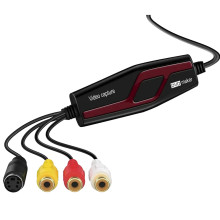
🧱 Device
#️⃣ Model No.
BR117-DE-T
BR117
avcap br117
Master avcap br117
CPU/Chipset(s)
Interface/port(s)
ASIN
B0H1HP86WK
The DIGITNOW BR117 USB video capture device allows you to transfer video and audio from VHS players, VCRs, camcorders, and other analog sources to your computer. The USB-EM2861-WM-V1.3.zip package contains driver files for compatible USB video capture hardware. After installation, use video capture software to preview and record footage from the connected device.
Driver Installation
- Download
USB-EM2861-WM-V1.3.zipand extract its contents using 7-Zip. - Connect the BR117 to a USB port on your computer.
- Open Device Manager, locate the capture device, and select Update driver.
- Choose Browse my computer for drivers and point Windows to the extracted driver folder.
- Open compatible capture software, such as OBS Studio, and select the USB capture device as the video and audio source.
Note: Windows may install the driver automatically. If the device is not recognized, confirm that the driver package matches your hardware revision before attempting a manual installation.
USB EM2861 WM
File: USB-EM2861-WM-V1.3.zip
SHA-256 Checksum:
438d9fc79d018ee3afaf47fcb9bc60c9249f5d1188e5da6fb54835be37be9c3a