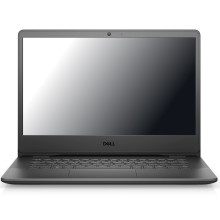
🧱 Device
🏗️ Manufacturer
#️⃣ Model No.
Vostro 3400 14
RAM (Max.)
16 GB
DDR4-3200
SODIMM
x2 Slots
Drivers for the Dell Vostro 3400 14 ensure Windows correctly supports the laptop's chipset, graphics, audio, wireless networking, Bluetooth, touchpad, and other integrated hardware. Keeping these drivers up to date improves system stability, device compatibility, performance, and security. Installing the latest Dell drivers also helps resolve hardware issues, enables new features, and ensures reliable operation with Windows 11.
Quick Installation Steps
- Download the required drivers for your Dell Vostro 3400 14 and extract the files if necessary.
- Install the chipset driver first, followed by graphics, network, audio, and any remaining device drivers.
- Restart your computer whenever prompted to complete each installation.
- Open Device Manager to verify all devices are installed correctly and no warning icons remain.
🖥️Graphics Drivers:
👆 Touchpad/HID:
📖Documentation/Manuals:



