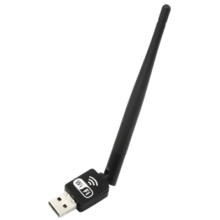
The ALFA UW10 N300 WiFi USB Adapter provides wireless network connectivity for compatible Windows 11 and Windows 10 computers. Installing the correct driver allows Windows to recognize the USB adapter and communicate with its wireless chipset. The driver may be needed when setting up the adapter on a new PC, reinstalling Windows, or troubleshooting a missing network connection. Before installation, connect the adapter to an available USB port and verify that the driver matches your Windows version and adapter hardware. This driver is intended for compatible ALFA UW10 N300 USB adapters.
Quick Installation Steps
- Download the ALFA UW10 N300 WiFi driver below (IS_Setup_ICS_011916_1.5.39.173.zip).
- Extract the downloaded ZIP file.
- Run the included Setup.exe or driver installer.
- Follow the installation prompts and restart Windows if requested.
MediaTek MT76xx Driver
File: IS_Setup_ICS_011916_1.5.39.173.zip
1849add500b2e0a1650ad64bfdbb79946cc1c4af08344664143dc6cb72a38ea1
MediaTek MT76xx Driver
File: MT7612U_DPO_LinuxSTA_3.0.0.1_20140718.tar.bz2
97e2afc342cc2518db815ddbb8bd6bc00b8699c558fe9774e1a186042c870883
MediaTek MT76xx Driver
File: MT7612_7610U_D5.0.1.25_SDK1.0.2.18_UI5.0.0.27_20151209.zip
b20c8b42941c55a2f41076980542b8b2ffa8ce61d11b5280d30b610d838436f2
MediaTek MT76xx Driver
File: IS_Setup_ICS_112015_1.5.39.165.exe
70837355895a63254b400322a3c230da45c015e8f66fac3387dfd71c8e64440f



