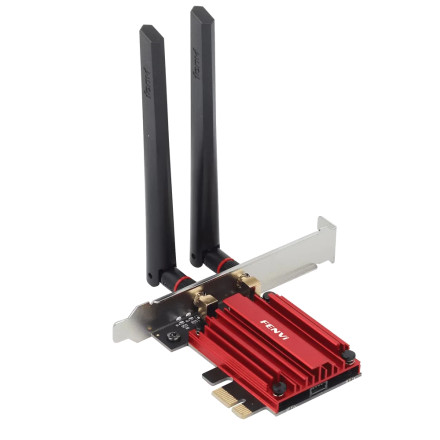
🧱 Device
🏗️ Manufacturer
#️⃣ Model No.
FV-BE5400
CPU/Chipset(s)
Interface/port(s)
Port(s)
ASIN
B0G7FTVP9Y
Operating System(s)
The Fenvi FV-BE5400 is a WiFi 7 and Bluetooth 5.3 wireless adapter based on the MediaTek MT7925 chipset. It uses the same hardware platform as the AMD RZ717, allowing it to use the corresponding MediaTek WiFi and Bluetooth driver packages.
The drivers are available separately through our MediaTek MT7925 WiFi 7 / Bluetooth Adapter Drivers collection. The latest versions listed at the time of writing are:
Available Driver Downloads
| Component | Latest version | Driver package |
|---|---|---|
| WiFi 7 | 5.4.0.2611 | network-mediatek-5-4-0-2611.zip |
| Bluetooth 5.3 | 1.1039.0.467 | bluetooth-mediatek-1-1039-0-467.zip |
Both packages support Windows 11 and Windows 10 (64-bit).
How to Install the Fenvi FV-BE5400 Drivers
- Download the MediaTek WiFi 7 driver package and extract the ZIP file.
- Run the included Setup.exe or installation program, if provided, and follow the installation instructions.
- Repeat the process with the MediaTek Bluetooth driver package.
- Restart Windows after installing both drivers.
Important: Install both driver packages to enable the full functionality of the FV-BE5400. The WiFi package enables wireless networking, while the separate Bluetooth package enables Bluetooth connectivity.