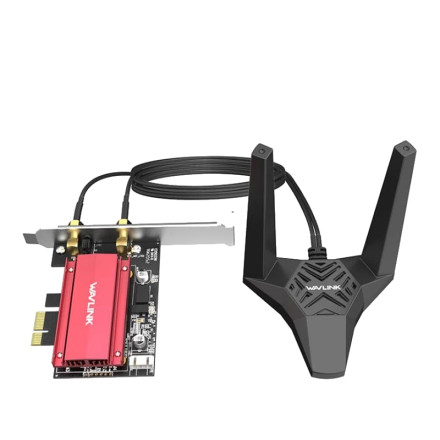
The WAVLINK WL-WN852X3 is a PCIe network card that adds WiFi 6E wireless networking and Bluetooth 5.3 connectivity to a desktop computer. Separate driver packages are required for WiFi and Bluetooth. The WiFi driver is provided in RTLWlanE_WindowsDriver_6001.16.119.0_Drv_3.00.0042.L(88302).zip, while the Bluetooth driver is included in RTBlueR_11ax_1.9.1051.3009_0907.2022_L(93023).zip.
Driver Installation
- Install the WAVLINK PCIe card in an available PCIe slot and connect the included Bluetooth USB cable to a motherboard USB header, if required by your card.
- Extract
RTLWlanE_WindowsDriver_6001.16.119.0_Drv_3.00.0042.L(88302).zipand install the WiFi driver using its setup program, or the included INF file through Device Manager. - Extract
RTBlueR_11ax_1.9.1051.3009_0907.2022_L(93023).zipand run the Bluetooth driver installer, if provided. - Restart Windows and check Device Manager to confirm that the WiFi and Bluetooth adapters are detected without errors.
Note: Bluetooth may require the card's internal USB cable to be connected to a motherboard USB 2.0 header. WiFi and Bluetooth use separate drivers, so installing one package does not install the other.
Realtek Wireless LAN 802.11ax PCI-E Network Adapter Driver
File: RTLWlanE_WindowsDriver_6001.16.119.0_Drv_3.00.0042.L(88302).zip
2dc5e385b1fd174345ce3ca0a797a20ba991a6277a36f7f2af8dfaf2d9e2a83c
Realtek Bluetooth Adapter Driver
File: RTBlueR_11ax_1.9.1051.3009_0907.2022_L(93023).zip
1a0990e45b4f5d124c3ac54e745d9975cca7185e32368aaa026d489f47b655d0



