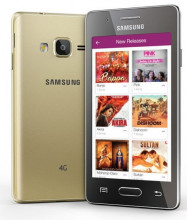
The Spreadtrum (SPD) USB Drivers allow compatible Spreadtrum/Unisoc smartphones and tablets to communicate with a Windows computer. These drivers may be required when flashing firmware, restoring a device, backing up data, or using supported servicing tools.
Because these tools can perform low-level operations, use caution. Flashing or modifying a device incorrectly can result in data loss or make the device unusable. Always confirm that the driver and firmware are compatible with your exact phone model before proceeding.
Quick Installation Steps
- Download the SPD_Driver_R4.24.2705.zip driver package (the first file below) and save it to your computer.
- Extract the SPD_Driver_R4.24.2705.zip to a folder you can easily find.
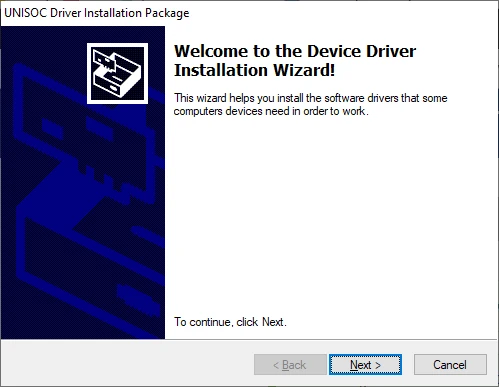
- Open the extracted folder and run the DPInst64.exe installation file (DPInst32.exe for 32bit).
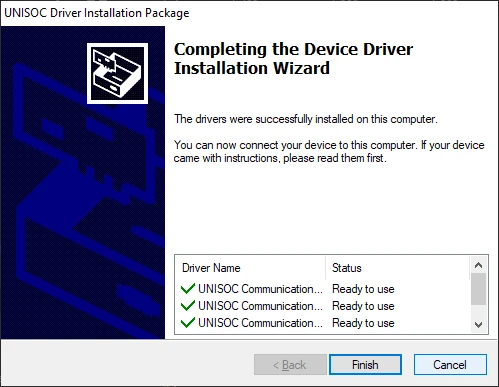
- Follow the on-screen instructions until the installation is complete.
- Restart Windows if prompted, then connect your compatible SPD/Unisoc device.
The screenshots below show the installation process step by step after running DPInst64.exe (the 64bit version)
SPD Driver R4.24.2705 (UniSoc Driver)
File: SPD_Driver_R4.24.2705.zip
68395b1dd1e96c8458606a29e222ad4905e3ad22d1085ab6be42f867fba5db7c
SCI Android USB Driver Jungo Internal
File: SCI Android USB Driver Jungo Internal.zip
e508427e63140b5bef2c4d9dbc103a49ef8959fbebfce2f3f0afea29652114e3
SPD Driver v1.4
File: SPD-Driver-v1.4.zip
ee2b451ec87407c4bc4b08b1f088f6ce726c01e3b5bd25dec0e334d602961324
SCI USB 2 Serial v1.5.0.1
File: sci_usb_2_serial_v1.5.0.1.zip
94b178b7a445d0ab9c57454b8b3ec2769da6c8be5a07568eba54edff7773b07f
Spreadtrum USB Driver
File: spreadtrum_usb_driver_20131114.zip
93baf2cb126fac1e0aee20896f43a3dfcbfc093d204b6a55fb55bc96906a5315



