🧱 Device
🏗️ Manufacturer
#️⃣ Model No.
BC-85AC
🛜 Network Technology
Interface/port(s)
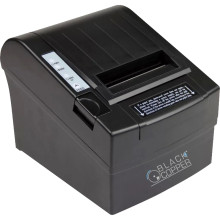
The Black Copper BC-85AC Thermal Receipt Printer is a compact thermal printer tailored for businesses requiring efficient receipt printing. This thermal printer excels in delivering quick, accurate, and virtually noiseless output, making it suitable for retail, hospitality, and point-of-sale applications. Its compatibility with various operating systems and connectivity options, including USB and Ethernet, ensures seamless integration into diverse setups. The BC-85AC accommodates various paper sizes and types, offering flexibility to meet specific business requirements.
Black Copper BC-85AC Thermal Receipt Printer Installation
- Download and extract the Black Copper BC-85AC driver package for your version of Windows.
- Connect the printer to your computer using the USB cable, load an 80 mm thermal paper roll, and switch the printer on.
- Run Setup.exe and follow the on-screen instructions to install the printer driver. Accept any Windows security prompts if they appear.
- When installation is complete, restart your computer if prompted.
- Open Settings > Printers & Scanners, verify the Black Copper BC-85AC is listed, and print a test page to confirm the printer is working correctly
BlackCopper 80mm Printer Driver
File: BlackCopper 80mm Printer Driver.exe
SHA-256 Checksum:
d2910ad801d507da48a91087e2a244027d4a777d957d2e5122fdae427d667b9e



