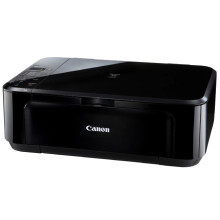
The Canon PIXMA MG3110 emerges as a versatile solution for home and small office printing needs. This all-in-one printer delivers impressive photo and document quality with its advanced inkjet technology, while also offering convenient features like wireless connectivity for seamless printing from various devices. Its compact design fits effortlessly into any workspace, while intuitive controls ensure easy operation for users of all levels. Complementing its capabilities is the Canon PIXMA MG3110 driver, which optimizes performance and unlocks additional features. Compatible with Windows and macOS, this driver streamlines printing tasks and enhances functionality, making the PIXMA MG3110 a reliable choice for vibrant, high-quality prints.
Canon MG3100 series XPS Printer Driver
File: xp68-win-mg3100-5_56a-ea24.exe
6127104fb93754eab94131ecd1cfe09f6585e5c3d212edecebc77946b9aeaa9c
Canon MG3100 series MP Driver
File: mp68-win-mg3100-1_02-ea24.exe
040fec7401c2dc3475472dc508ba4b15c39785557e3649d9f571c1997e293fb2
Canon MG3100 series Scanner Driver
File: msd_-mac-mg3100-18_0_1b-ea11.dmg
a23d469425efa779ef499f3e06de919404e98c84a2d9d9077adee7fe995ed4bf
Canon MG3100 series CUPS Printer Driver
File: mcpd-mac-mg3100-16_20_0_0-ea21_3.dmg
cb8835b8815dd2763069a060407105c9fc2938c880525c32f22710a59e4e15e9
What ink cartridge does the Canon PIXMA MG3110 use?
- Black: PG-140
- Color: CL-141



