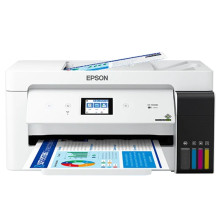
Device
Series
Manufacturer
Model No.
ET-15000
C11CH96201
Network Technology
Interface/port(s)
Download the drivers for the ET-15000 below for Windows 11, 10, 8.1, 8, 7 and Vista. Drivers are compatible for both x64 and x86 based OS installations. This printer is part of the EcoTank series. Installing the drivers is simple, download the files you need from the links below and run them as an administrator and follow the prompts until the printer is installed.
Epson ET-15000 Printer Driver
File: ET15000_X64_30002_NA.exe
SHA-256:
fb8169cc8d42fa70842cb43a13e398bbb94e03f0e21f3c7e0c3e2eadcb423983
Epson ET-15000 Printer Driver
File: ET15000_X86_30002_NA.exe
SHA-256:
5dc26047eccc6205b0588acadd211401737ebab5d8b85089a58289cd8b65d6b9
Epson ET-15000 Scanner Driver and Epson Scan 2 Utility
File: ET15000_EScan2_65230_NA.exe
SHA-256:
0c60d8024ced5acbc69e5d4689bb2c9f4c657ce11dd136f66c960e4bd5f3cc06
What ink bottles does the Epson EcoTank ET-15000 use to refill?
- 502 Black ink bottle (127 mL)
- 502 Color (Cyan, Magenta, Yellow) ink bottles (70 mL)



