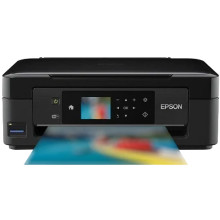
The Epson XP-423 Printer is an all-in-one solution catering to home users with its wireless printing, scanning, and copying capabilities. It boasts PrecisionCore technology for high-quality prints with crisp text and vibrant colors. The printer's compact design suits various home environments, featuring a 2.5-inch LCD screen for easy navigation. Technical specifications include individual ink cartridges for cost-effective printing and versatile media handling. To optimize its functionality, users can install the Epson XP-423 Printer Drivers. These drivers ensure seamless communication between the printer and connected devices, providing compatibility and unlocking advanced features for a reliable and efficient home printing experience with the XP-423.
Epson Printer Driver
File: epson513359eu.exe
e5a33f1ebaea1f33e0d7828c2b3b458b6a7cde5012e2d60889265ee71aa2f670
Epson Printer Driver
File: epson513358eu.exe
a8d9df6216ada3e878aed27dd83f70579b88698bcedbc33163ba77c5bb7243a0
EPSON Scan
File: epson514342eu.exe
c045434c5bc02a7942da2a5abe7cdf3f9a4ea53a9b13b2b02e0665ba5a8489a7
Epson Printer Driver
File: epson651397eu.dmg
330d1d1f351e38f8b71b4682e62dd6550f4e2858e79ced8cd79768635aeedb68
EPSON Scan 2
File: epson654709eu.dmg
cd267451e137cf70a019fd73e13b646d97145023c05050e5a383fc3f9f5a91ea
What ink does the Epson XP-423 Printer use?
- Epson 18XL High Capacity (4 pack B/C/M/Y)
- Epson 18 Standard Capacity (4 pack B/C/M/Y)



