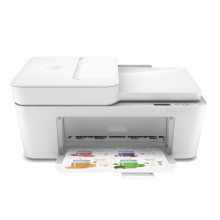
The HP DeskJet Plus 4120 is an all-in-one inkjet printer designed for home and small office use. It features printing, scanning, copying, and faxing capabilities in a compact and sleek design. With a print speed of up to 8.5 pages per minute in black and white, and up to 5.5 pages per minute in color, it is suitable for basic printing needs. It has a 60-sheet input tray and a 25-sheet output tray, and supports automatic duplex printing to help reduce paper waste. The printer can be connected to a network via Wi-Fi or USB, and also supports printing directly from mobile devices through the HP Smart app. It includes a 2.2-inch mono touchscreen display for easy navigation and control. The HP DeskJet Plus 4120 is a reliable and versatile all-in-one printer that is well-suited for home and small office use.
HP Easy Start Printer Setup Software
File: HPEasyStart-13.6.5-DJP4100_51_4_4868_1_Webpack.exe
ce304f6605afe13fafbdd571e9d573da1fcc8896744c7518b0f9dfb2ef2a8d4a
What Print Cartridges does the HP DeskJet Plus 4120 use?
3YM61AE HP 305 Black Original Ink Cartridge (~120 pages yield)
3YM62AE HP 305XL Black High-Yield Original Ink Cartridge (~240 pages yield)
3YM60AE HP 305 Tri-Colour Original Ink Cartridge (~100 pages yield)
3YM63AE HP 305XL Tri-Colour High-Yield Original Ink Cartridge (~200 pages yield)



