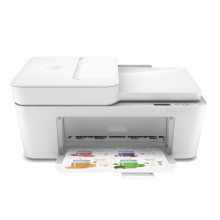
The HP DeskJet 4123e All-in-One Printer was a compact, versatile printing solution offering efficient printing, scanning, and copying capabilities. With wireless connectivity and HP Smart app compatibility, it facilitated convenient printing from various devices. Delivering crisp black-and-white documents and vibrant color prints, it suited both home and small office needs. Its user-friendly design, intuitive controls, and easy setup made it accessible for users of all levels. Despite its compact size, it provided reliable performance, affordability, and versatility, making it a practical choice for users seeking an all-in-one printer for everyday document printing, scanning tasks, and occasional photo printing.
HP Easy Start Printer Setup Software
File: HPEasyStart-13.6.5-DJP4100_51_4_4868_1_Webpack.exe
ce304f6605afe13fafbdd571e9d573da1fcc8896744c7518b0f9dfb2ef2a8d4a
What Print Cartridges does the HP DeskJet 4123e series use?
3YM61AE HP 305 Black Original Ink Cartridge (~120 pages yield)
3YM62AE HP 305XL Black High-Yield Original Ink Cartridge (~240 pages yield)
3YM60AE HP 305 Tri-Colour Original Ink Cartridge (~100 pages yield)
3YM63AE HP 305XL Tri-Colour High-Yield Original Ink Cartridge (~200 pages yield)



